How to run an Immunogenicity job
The Immunogenicity application requires a csv file containing the following fields: protein_name, chain_sequence, and chain_name.
-
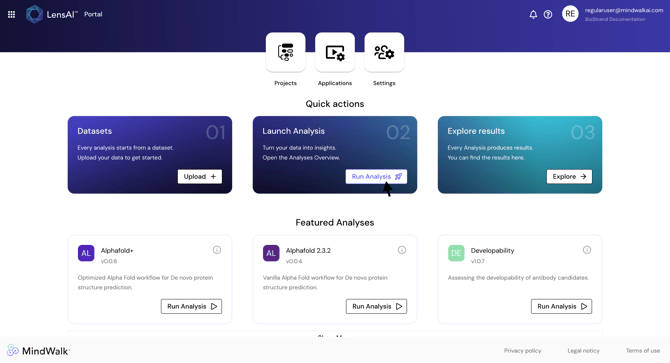
Step 1. On the LensAI™ Home Page, click "Run Analysis"
-
Step 2. Locate the Immunogenicity analysis and click "Run Job"
- Step 3. Inside the run configuration, select the dataset
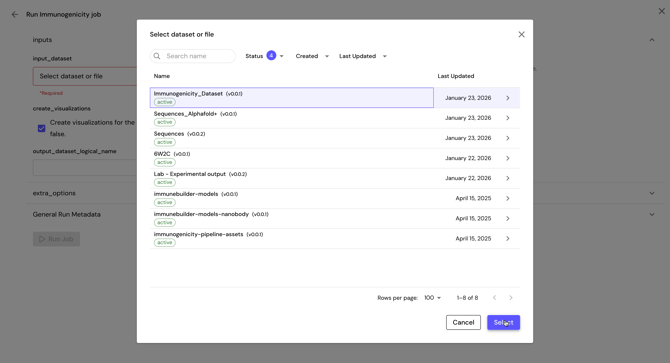
Caution: The dataset must be chosen, not the .csv file itself.
Caution: The .csv file must contain the following fields.
-
protein_name
-
chain_sequence
-
chain_name
-
Step 4. Define the output dataset logical name
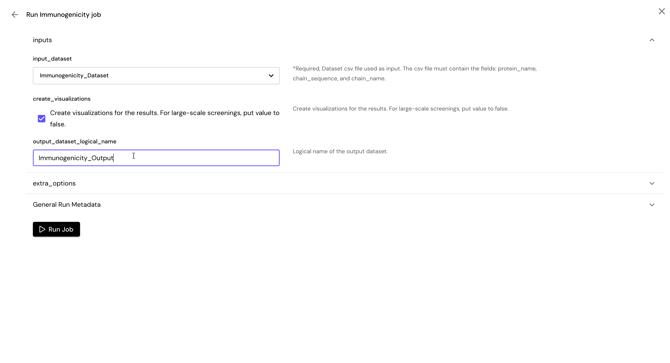
Caution: The name of the output dataset should not contains any space. Underscore is accepted.
-
Step 5. Optionally configure the other inputs
-
create_visualizations: Create visualizations for the results. For large-scale screenings, put value to false.
- loci: Loci to analyze for immunogenicity. By default, the pipeline will analyze DRB1, DQA1-DQB1, and DPA1-DPB1. Pick between these options: DRB1, DQA1-DQB1, DPA1-DPB1. Use a comma and no spaces to delineate multiple values.
When filtering by Loci, consider the biological relevance of the regions you choose, as this can significantly impact the interpretation of your immunogenicity results. - ethnicity: Ethnicity of the target population, as categorized by http://allelefrequencies.net/. Choose one of the following: All, Asian, Aust. Aboriginal, Austronesian, Berber, Black, Caucasoid, Guanche, Hispanic, Jew, Kurd, Melanesian, Mestizo, Micronesian, Mixed, Mixed ancestry, Oriental, Other, Persian, Polynesian, Siberian.
For ethnicities, selecting the appropriate group can help ensure that the analysis is tailored to the population you are studying, which may yield more meaningful insights into the immune response.
-
- Step 6. Optionally provide experiment details under the General Run Metadata Inputs
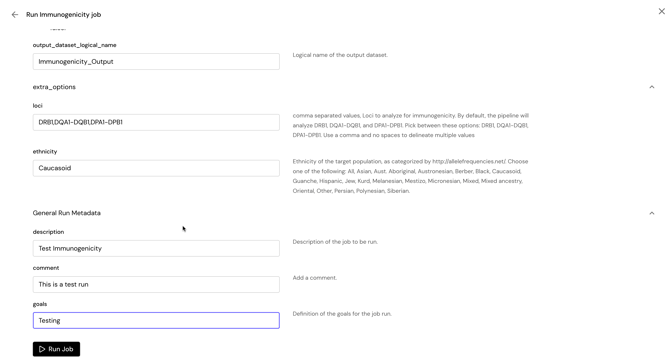
- Step 7. Click "Run Job" to launch the application
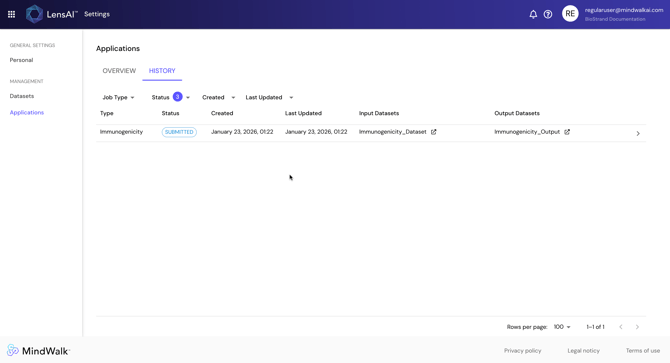
- Step 8. Monitor the state and the results of the analysis in the "Applications" page under the "History" tab